• Main COD Website
  • Log into Blackboard
  • COD Portal
  • Home
  • Get Started
    • Faculty Get Started
    • Students Get Started
  • Tools
    • Blackboard Tools
    • ARI
    • Integrations
    • Media Creation
  • Ultra
    • Ultra Overview
    • Best Practices
    • FAQ
    • Transition Process
    • Try Ultra
    • Tutorials
    • Ultra Transition Workshops
    • What’s New in Ultra
    • Student Help
  • Accessibility
    • Ally Overview
    • Ally for Faculty
  • Resources
    • Knowledge Base
    • Newsletter
    • Training
  • Online Quality
    • Best Practices
    • RSI
    • Rubric
  • Blog
  • Home
  • Get Started
    • Faculty Get Started
    • Students Get Started
  • Tools
    • Blackboard Tools
    • ARI
    • Integrations
    • Media Creation
  • Ultra
    • Ultra Overview
    • Best Practices
    • FAQ
    • Transition Process
    • Try Ultra
    • Tutorials
    • Ultra Transition Workshops
    • What’s New in Ultra
    • Student Help
  • Accessibility
    • Ally Overview
    • Ally for Faculty
  • Resources
    • Knowledge Base
    • Newsletter
    • Training
  • Online Quality
    • Best Practices
    • RSI
    • Rubric
  • Blog
Accessibility in Action: Ally Community Stories

Accessibility in Action: Ally Community Stories

by Christina Sabo | Aug 27, 2019 | Accessibility, Ally, Blackboard, Featured

Have you started using Ally yet? One thing that might be helpful as a rookie Ally user is to see just how the tool has helped those at other institutions. One of the best ways to do that is to check out the Ally Community Stories on the Blackboard Ally website....
Blackboard Collaborate Ultra Updates for Summer 2019

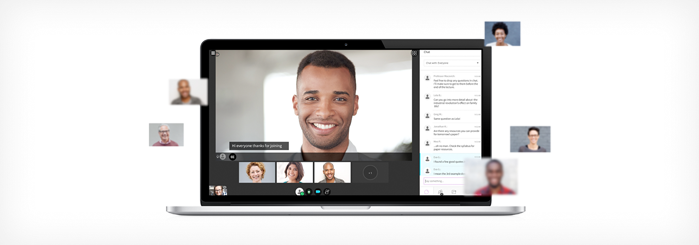
Blackboard Collaborate Ultra Updates for Summer 2019

by Christina Sabo | Jul 23, 2019 | Blackboard, Collaborate Ultra, Featured

Blackboard Collaborate got a recent update. What does that mean? There are a lot of really cool new features and tweaks that can make Collaborate even better to use. Easily Identify Connection Issues Collaborate can now determine if moderators and attendees are...
Tech Minute: Setting the Content Review Status

Tech Minute: Setting the Content Review Status

by Christina Sabo | Jul 2, 2019 | Blackboard, Featured

Welcome to a new feature we have to offer: Tech Minute! In each segment, we’ll address a small thing you can do in Blackboard to make your course work better for you AND your students. Without further ado, here’s the first Tech Minute! Have questions?...
Ally Is Live for All Courses

Ally Is Live for All Courses

by Christina Sabo | Jun 4, 2019 | Accessibility, Ally, Blackboard, Featured

Ally is a new addition to the suite of tools available to you in Blackboard. Ally makes it easier to ensure that your course content is accessible and that your students can access file formats that best suit their needs and learning preferences. So what does it mean...
Blackboard Updates: What You Need to Know

Blackboard Updates: What You Need to Know

by Christina Sabo | May 28, 2019 | Blackboard, Featured

It’s that time again: Blackboard got an update. While updates can be a pain, they also come with some good things. Here’s a list of what you can expect with this latest Blackboard update, taken from our knowledge base. You can also read the article there....
My Qwickly’s Broken: How to Troubleshoot Errors in Your Attendance Record

My Qwickly’s Broken: How to Troubleshoot Errors in Your Attendance Record

by Christina Sabo | Apr 4, 2019 | Blackboard, Featured, Qwickly

Is Qwickly acting up? Just keeps loading forever and nothing ever happens? Here’s what you can do to resolve your issue and who to contact if you can’t. Image from Vecteezy.com If your Attendance Record loads indefinitely and you’re using a PC, first...

« Older Entries
Next Entries »

About LT

We're here to help you!

Learn more about LT. 

Helpful Links

  • > Blackboard Login
  • > LT Knowledge Base

Faculty Support

Learning Tech
  • > (630) 942-2490
  • > learningtech@cod.edu

IT
  • > (630) 942-4357
  • > helpdesk@cod.edu

Grades
  • > (630) 942-3838
  • > gradesdept@cod.edu

Adjunct Support
  • > oafs@cod.edu

Student Support

Student Help Desk
  • > studenthelp@dupage.edu
  • > (630) 942-2999
Student Resources
  • > Getting Started
  • > Ultra Support

Learning Technologies at College of DuPage

  • Office: BIC 3401 
  • Phone: (630) 942-2490
  • Email: learningtech@cod.edu
  • Follow
  • Follow
  • Follow